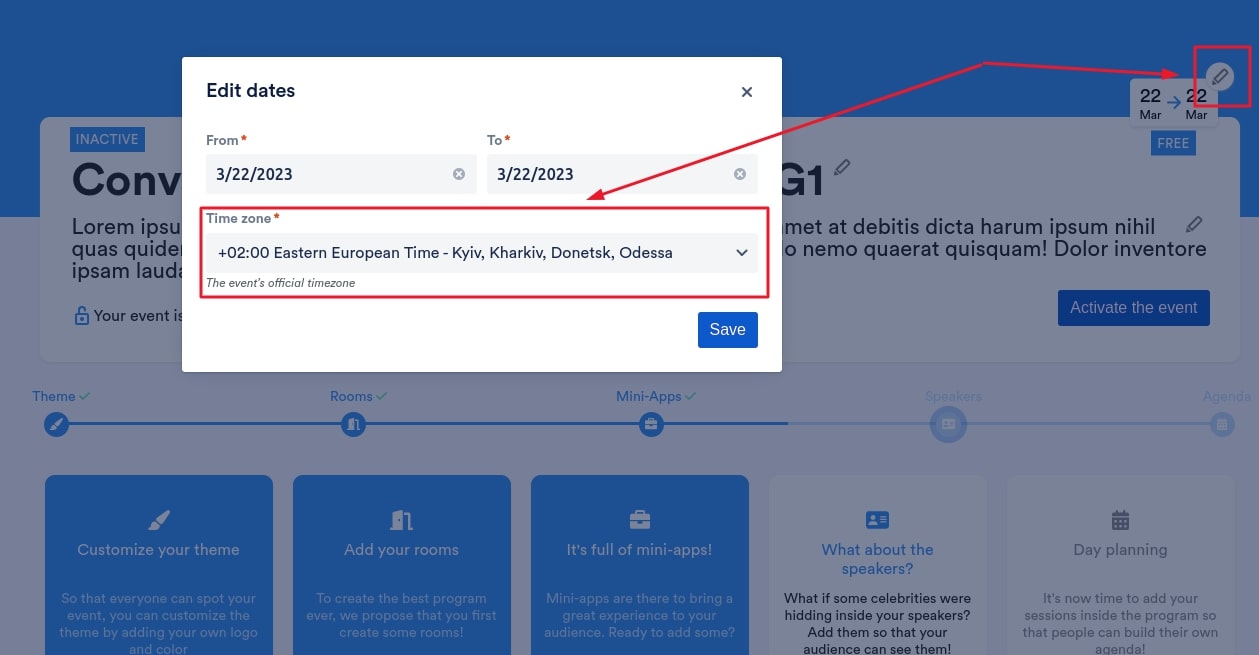
You can easily change the timezone of your event in our app. Go to the Dashboard page of your event, click the edit icon, and select your timezone from the dropdown that appears.
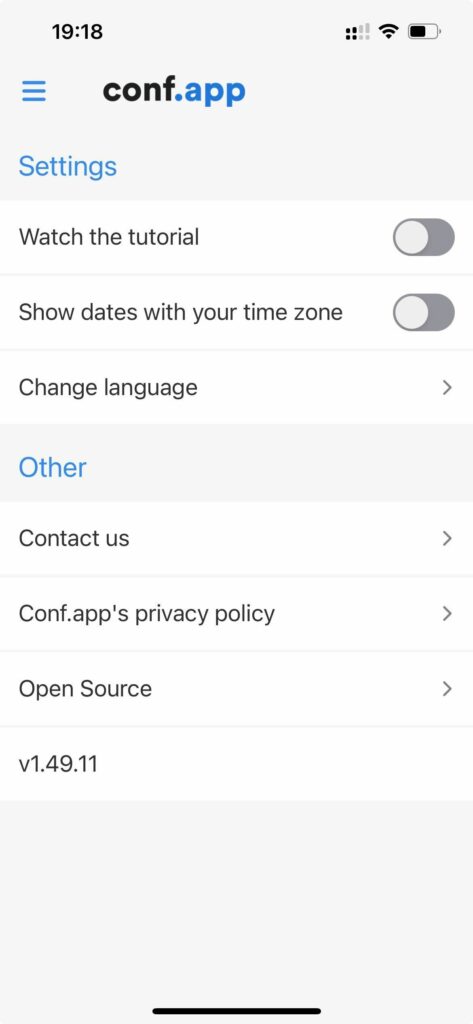
By default, your participants will see the agenda entries with the time defined for your configured timezone. They can also, if they prefer, automatically convert all the displayed time to their local timezone through the Conf.app settings menu.